Skip to content

get a job in tech

  • Home
  • Podcast
  • Courses
  • Videos
  • GitHub
  • FREE Calendar
  • More
    June 1, 2020 by garymcneelyit

    How to get started in Tech

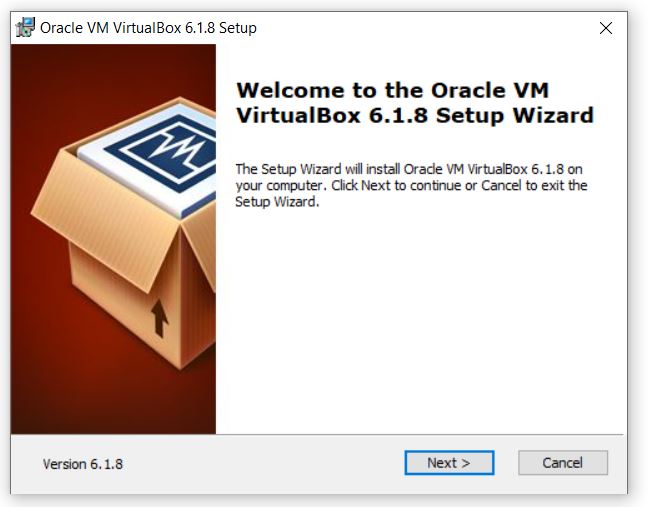
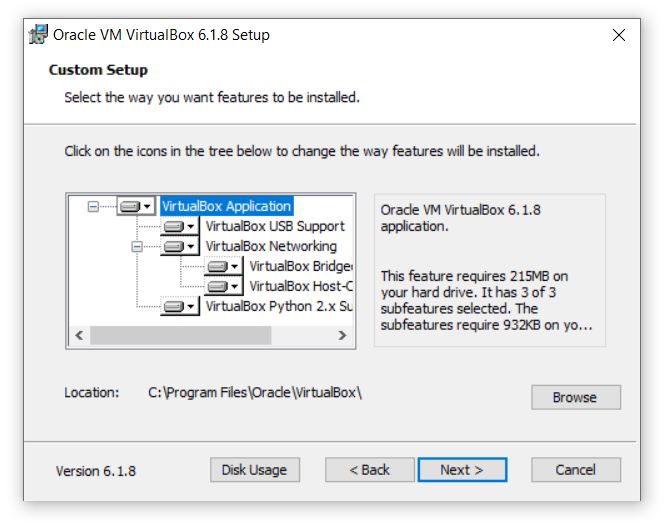
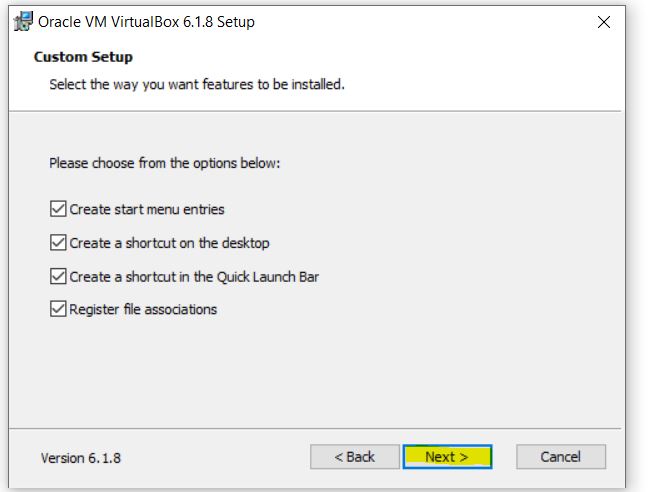
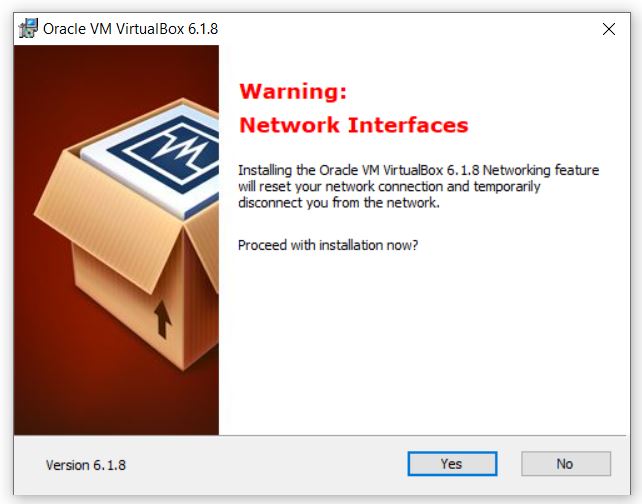
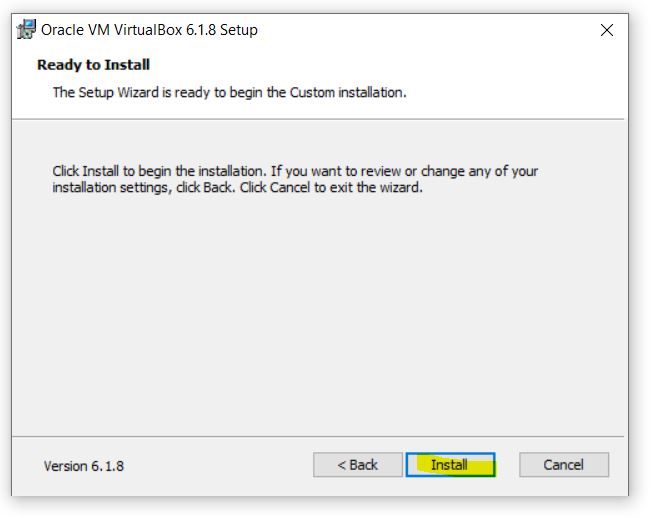
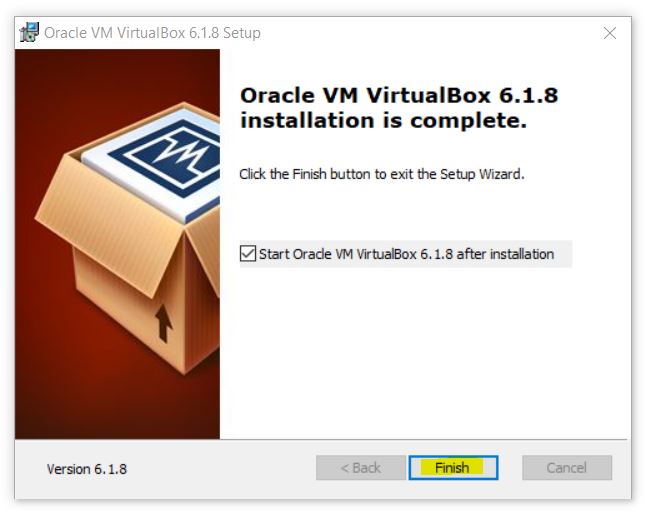
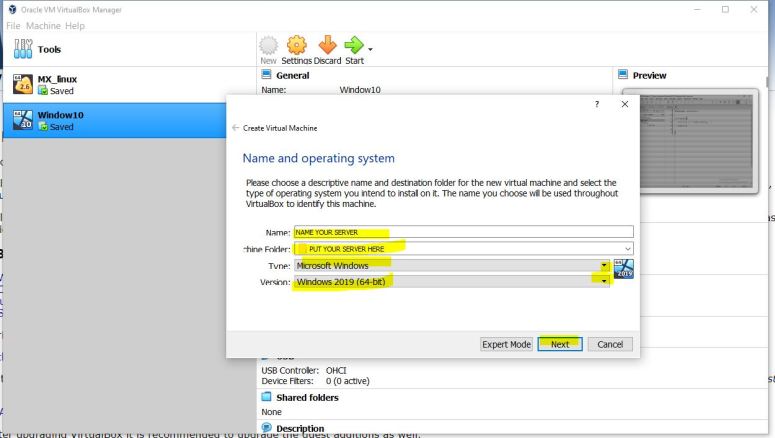
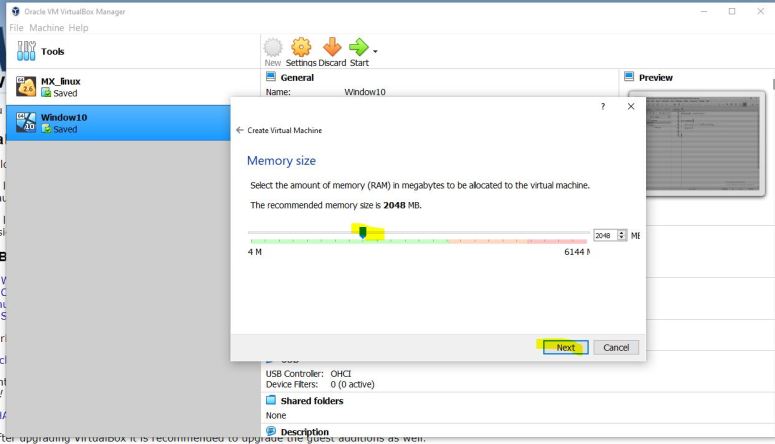
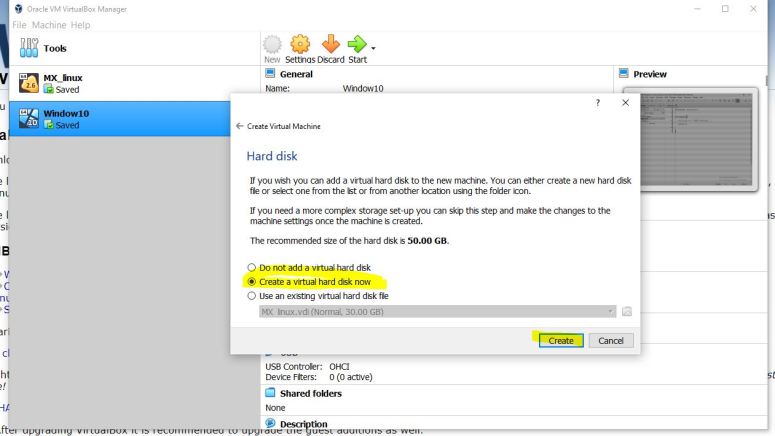
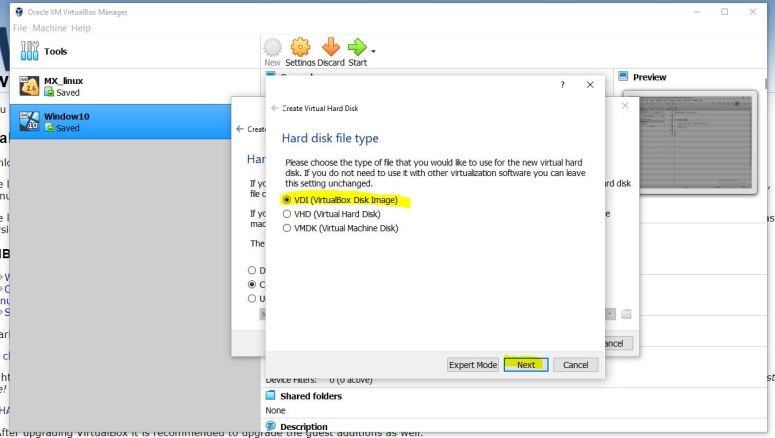
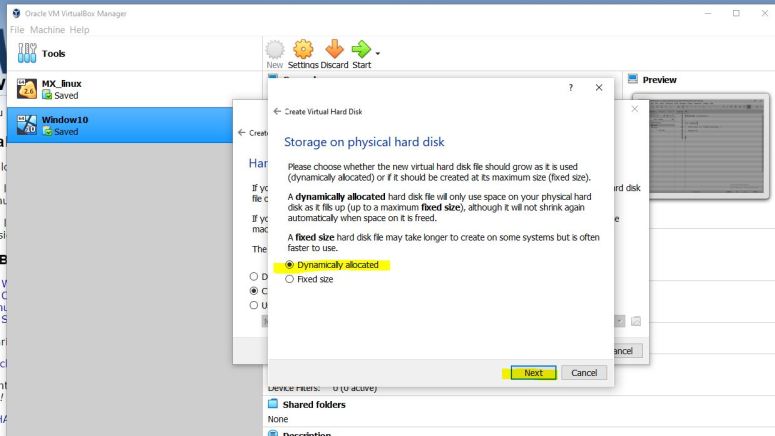
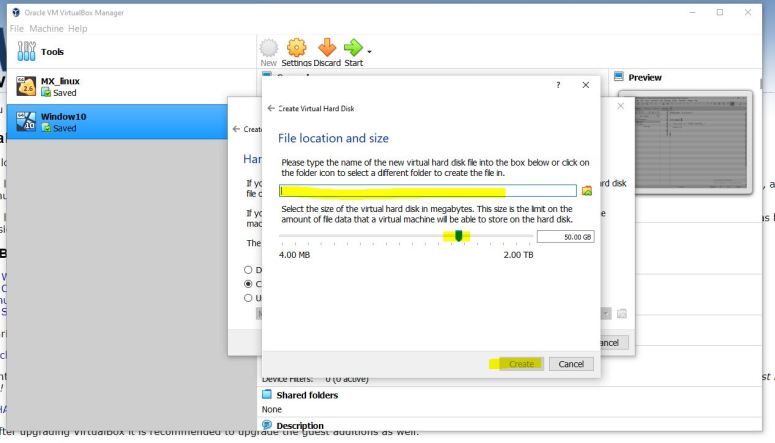
    How to install virtual box


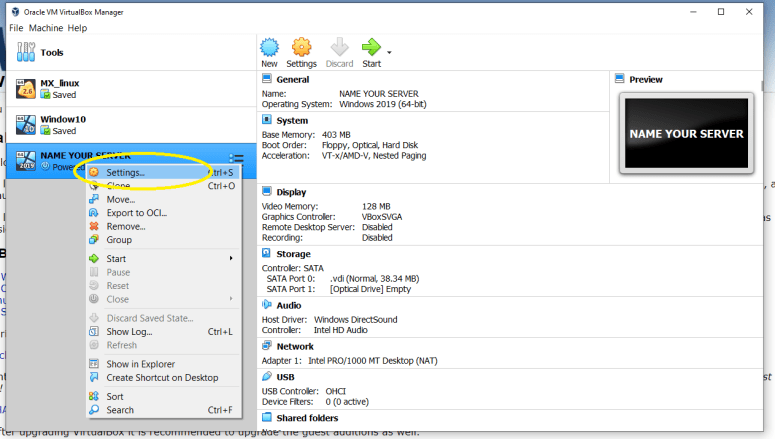
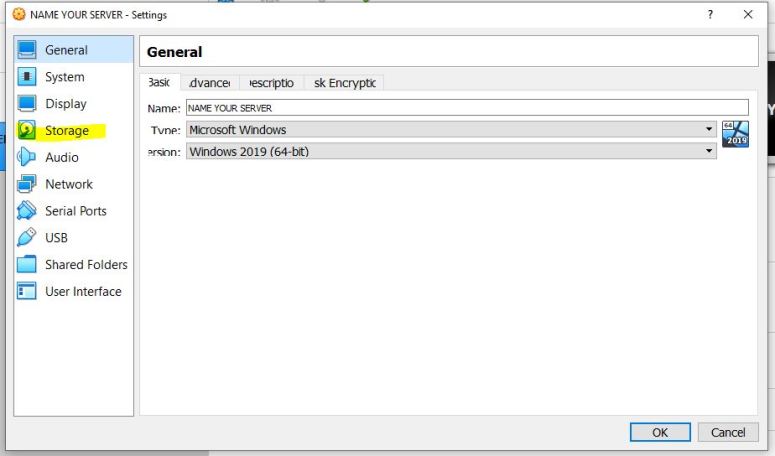
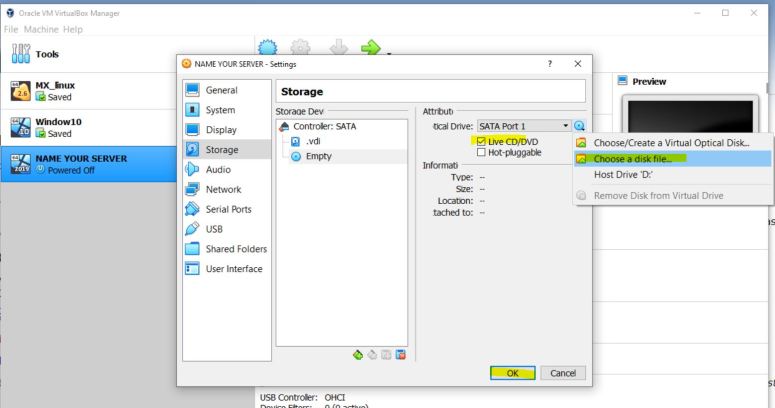
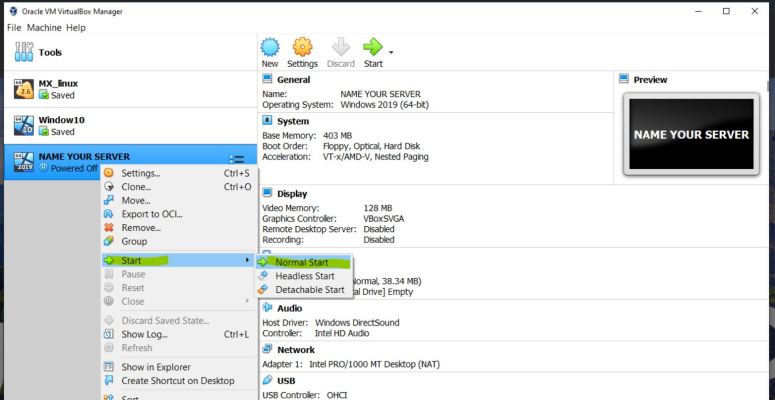
    navigate to https://www.virtualbox.org/ and download the software and follow the below screenshots

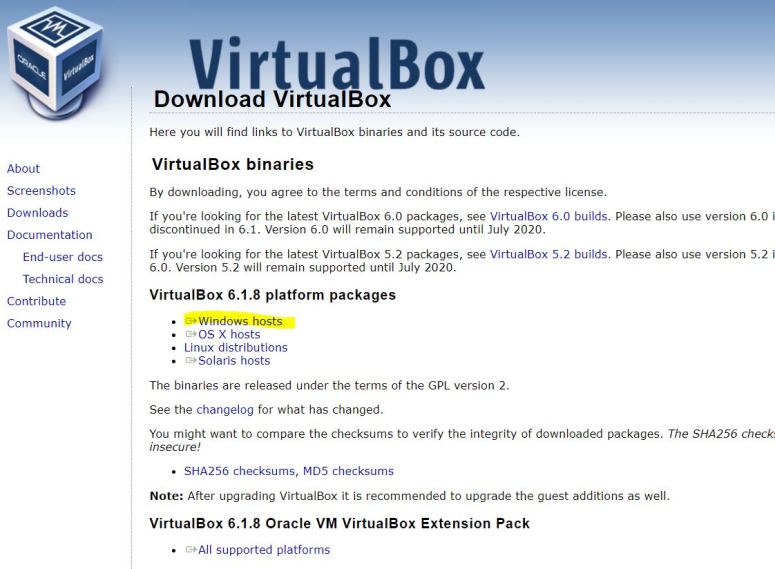
    2

    3

    567891011

    Download Windows or Ubuntu

    Save the ISO file to local desktop
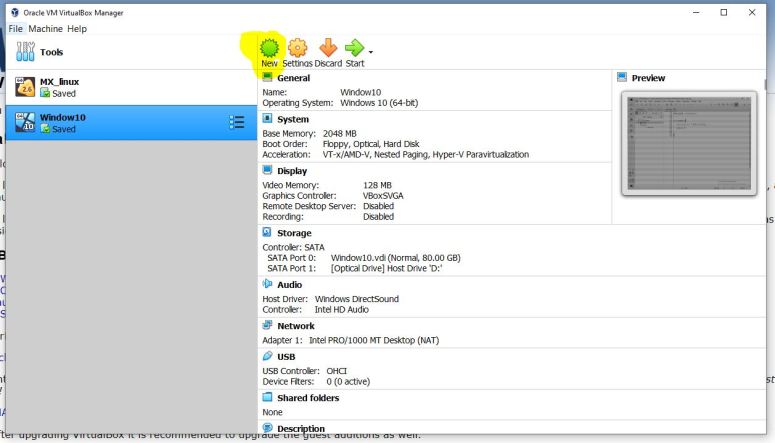
    12 1314151617181920212223


    After attaching the Windows or Ubuntu ISO file install the operating system

    Share this:

    • Click to share on X (Opens in new window) X
    • Click to share on Facebook (Opens in new window) Facebook
    Like Loading...

    Related

    Post navigation

    Previous Job reference management page
    Next How to install Active Directory

    Follow me on Twitter

    My Tweets

    Get a job in Tech Facebook Group

    Get a job in Tech Facebook Group

    Blog Stats

    • 10,459 hits
    Create a website or blog at WordPress.com
    • Reblog
    • Subscribe Subscribed
      • garymcneelyit.com
      • Already have a WordPress.com account? Log in now.
      • garymcneelyit.com
      • Subscribe Subscribed
      • Sign up
      • Log in
      • Copy shortlink
      • Report this content
      • View post in Reader
      • Manage subscriptions
      • Collapse this bar
     

    Loading Comments...
     

    You must be logged in to post a comment.

      %d